CalmNCalculated
The real app is on this page — scroll down and use it

A caregiver planner for elder care and aging parentsEverything about their care, in one place.one file.one calm page.

The CalmNCalculated Caregiver Planner is a browser-based planner for family carers looking after an aging parent or relative, sold as a one-time digital download on Etsy. It is a single HTML file that opens in any modern web browser — no installation, no account, and no internet connection once you have it. It has 10 sections, from Dashboard to Settings, covering medications and doses, appointments and who is taking them and a daily care log. Everything you type stays in your own browser on your own device.

One-time purchase Stays on your device Works offline
How much are you tracking?
Live · drag me
Medications6
Times a day, each2
6meds
84
doses to get right every week
6 medications · 2× a day

Your numbers, your arithmetic — nothing here is a claim about anyone else.

No subscription One single file Nothing leaves your device Works offline Opens in any browser Light & dark mode Print-friendly No account, ever

Try the Caregiver Planner free, right here

This is the actual product, running on this page with sample data — not a video, not screenshots. If you like it, the file you buy is this, minus the sample numbers.

Caregiver Planner — one file, running in your browser

The whole app, right here.

Loads in a second. Click around, change things — it's yours to break.

Prefer a full window? Open the demo full-screen — same thing, more room.

How the Caregiver Planner works, step by step

Four moments from real use — the screen changes as you read.

Every morning

What today's care needs.

Doses due, appointments, anything outstanding — the answer to 'what do I need to remember today?'

Several times a day

Medications, without the sticky notes.

What, how much, when, and whether it's been given. The thing that most needs to be right.

Every letter and call

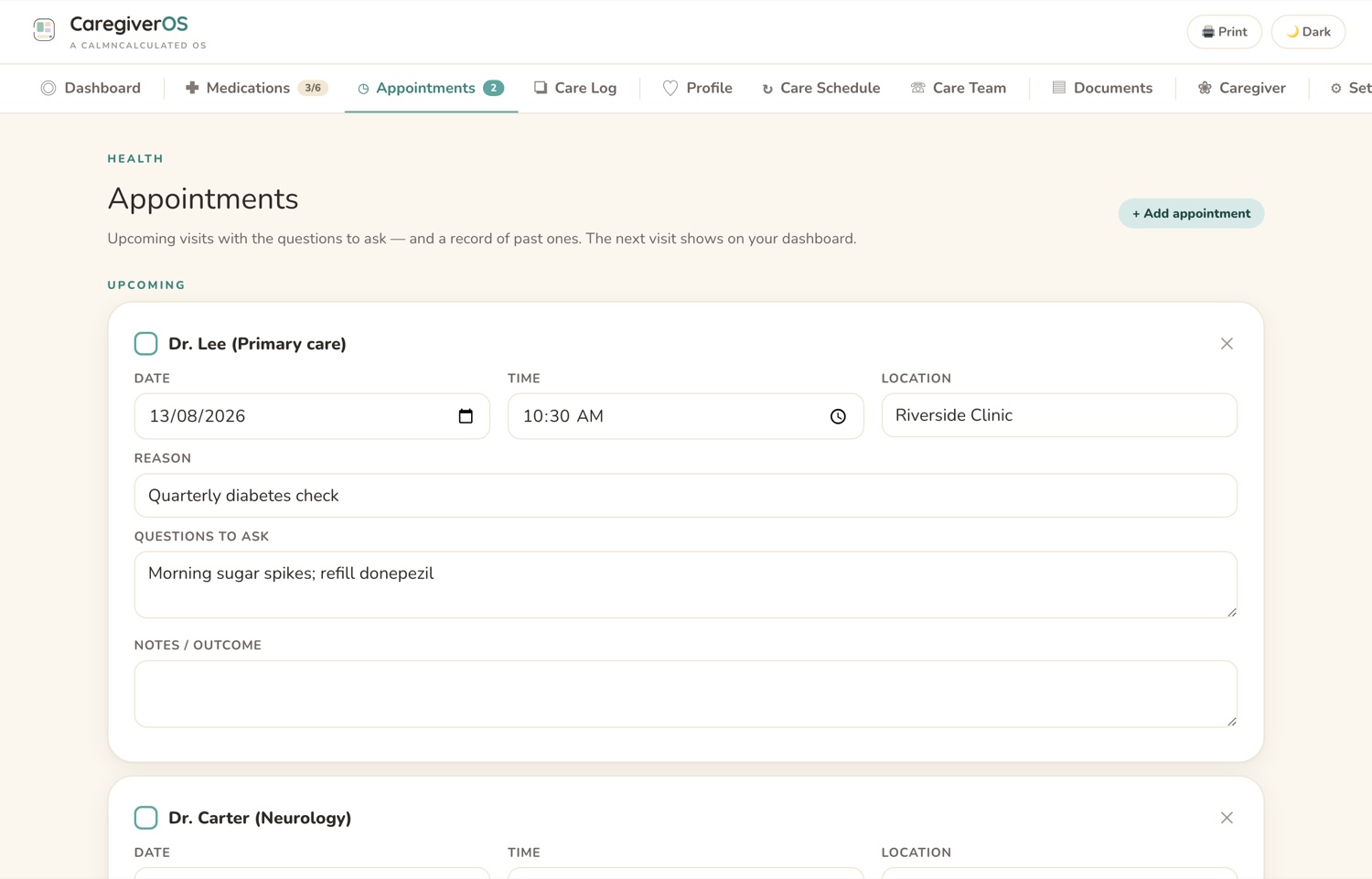
Appointments and who's taking them.

Dates, places, and which of you is going — so it isn't rearranged by text five times.

As it happens

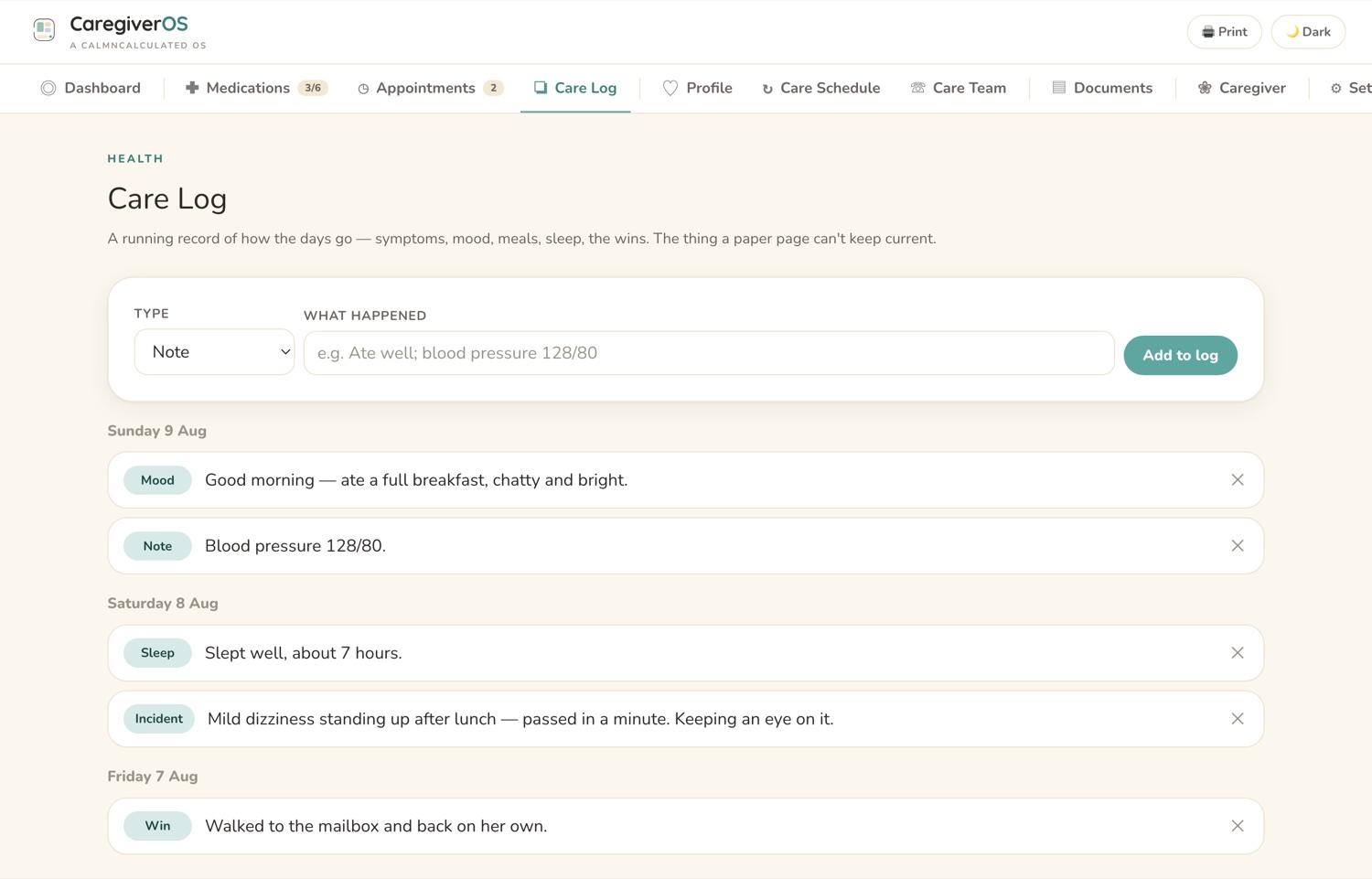
A care log the whole family can read.

How the day went, what changed, what the doctor said. Especially when care is shared between people.
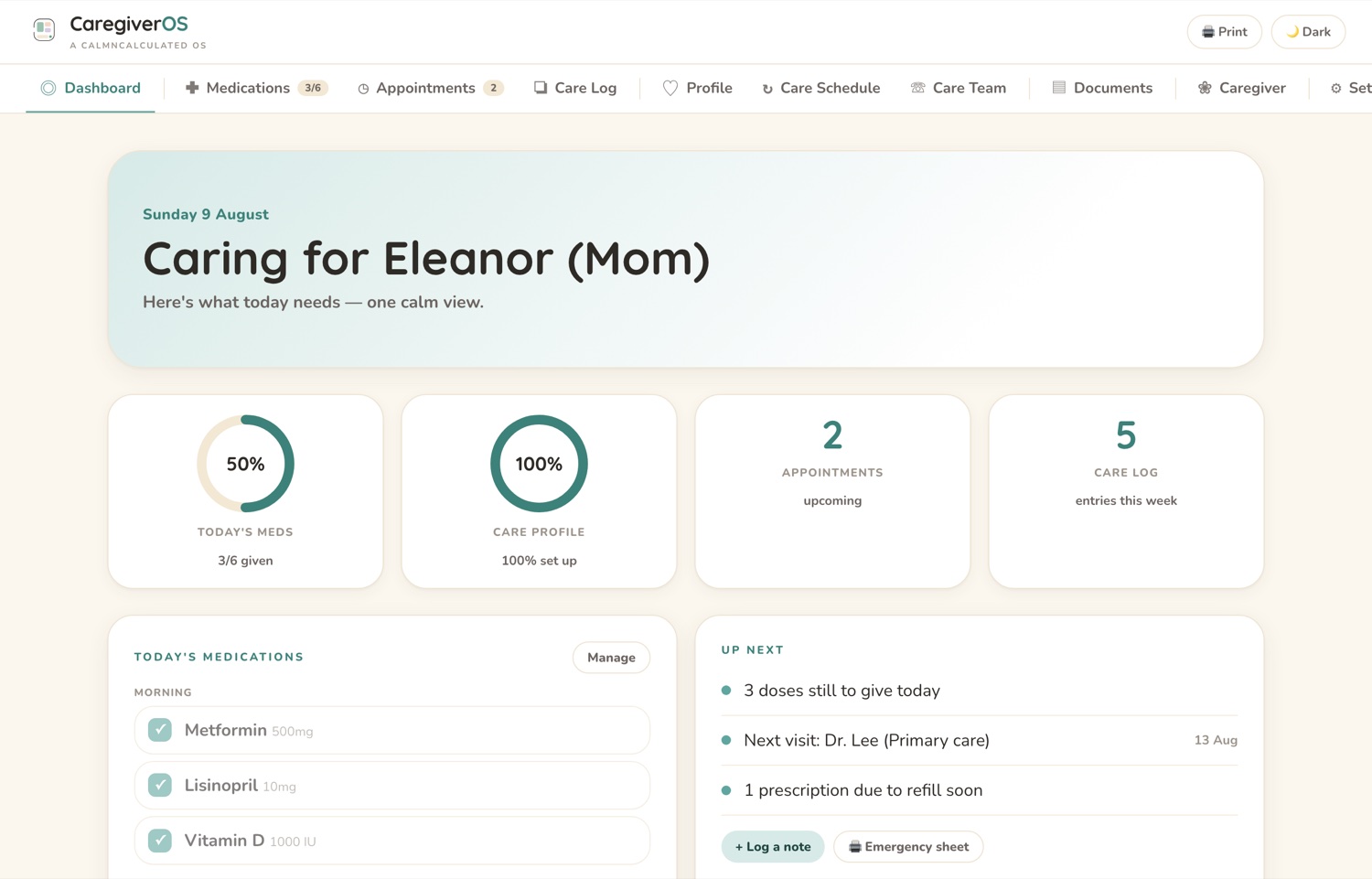
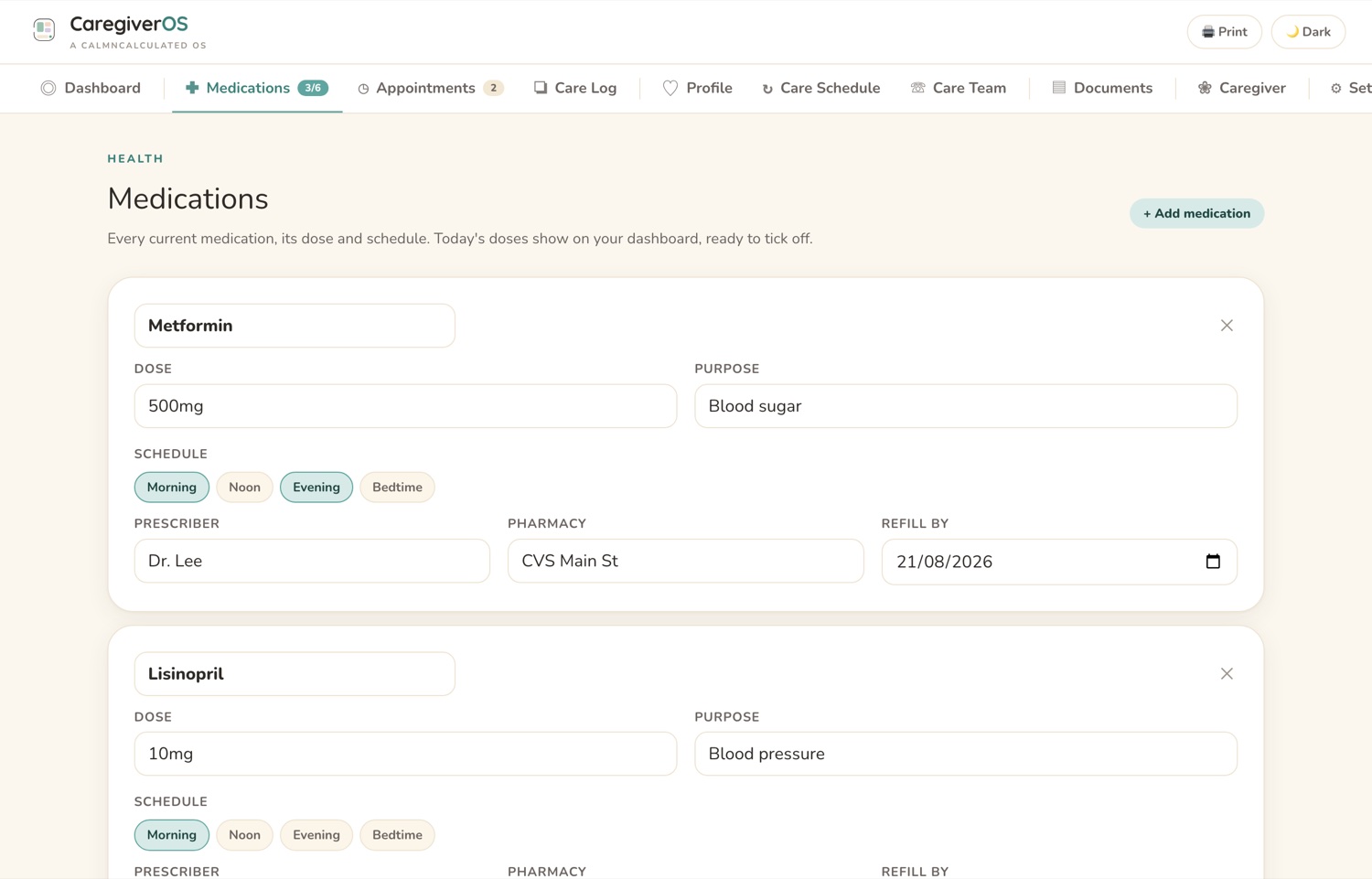
The Dashboard screen in the CalmNCalculated Caregiver Planner, showing doses due, appointments and anything outstanding The Medications screen in the CalmNCalculated Caregiver Planner, showing medications — what, how much, when, and whether given The Appointments screen in the CalmNCalculated Caregiver Planner, showing appointments with dates, places and who is going The Care Log screen in the CalmNCalculated Caregiver Planner, showing the care log the whole family can read
DashboardMedicationsAppointmentsCare Log

Inside the app: 10 sections, one file, no subscription

Everything below is in the app you just tried.

The Medications screen in the CalmNCalculated Caregiver Planner, showing medications — what, how much, when, and whether givenMedications
10
sections in the app
5
things it covers
1
file — nothing to install
$0
per month, forever — you buy it once
The Appointments screen in the CalmNCalculated Caregiver Planner, showing appointments with dates, places and who is goingAppointments
no account, no cloud, no server
works fully offline, once it's on your device
light & dark mode · print-friendly
three printable sheets it builds from what you've entered

Three editions. The same care record.

One download holds all three. Most people pick one and keep the others for what they're good at — nothing is locked, nothing expires, and you can change your mind when the care does.

The app

One private HTML file that opens in any browser. A dashboard showing today's doses grouped into morning, noon, evening and bedtime, the next appointment and what is coming up. Change a dose once and the dashboard, the medication list and the printed sheet all say the same thing. It keeps working with the internet switched off.

  • Ten sections, from Dashboard to Settings
  • Three printable sheets built from what you've entered — the emergency one-pager, the medication list and the appointment schedule, each dated
  • Light and dark mode, no login, no server
Play with it on this page
Pick this if you want to run the care day to day.

The workbook

A real .xlsx — not an export. Refill dates count themselves down, the dose log follows the current week on its own, the days to the next visit read today's real date, and the Emergency Sheet tab assembles itself from Profile, Medications, Care Team and Documents so it cannot go stale. Opens in Excel, Google Sheets or Numbers.

  • Thirteen tabs, formulas already written
  • An Emergency Sheet that builds itself from the tabs behind it
  • A hosted Google Sheets template — File → Make a copy and you're in
Pick this if you'd rather work in a spreadsheet.

The printable pack

41 page designs for a pen, the fridge and the folder a sibling picks up — the page worth printing, the medication list and dose sheets, refills and the pharmacy, the appointment pages, the daily care log and the week at a glance, the care schedule and handover sheet, the care team, insurance and documents, hospital and coming home, the falls record, what changed this month, sharing the load, and your own care.

  • Every design set for both A4 and US Letter — 82 pages in all
  • Print one half of the file — the cover says which
  • Undated, so print any page any month of any year
Pick this if paper is what actually gets read.

Two more files come with them. The Calm Care Method is a free 52-page book on the practical side of caring for an aging parent — twelve chapters across four parts, every figure traced to the organisation that publishes it, and a page near the end naming the widely repeated caregiving claims that did not survive checking. A Quick Start guide gets all three editions moving in minutes. Five files in total, one download, one payment.

How much there is to keep track of

The caregiver planner holds what, how much, when, and whether it has been given. Set the number of medications and see the weekly load.

Medications6

6 medications taken twice a day is 84 doses to get right every week.

The medications screen holds what, how much, when and whether it's been given.

The Medications screen in the CalmNCalculated Caregiver Planner, showing medications — what, how much, when, and whether given
Medications — running on the sample data.

No account. No cloud. No catch.

It's one HTML file that runs in your browser. That single fact is what makes all four of these true.

0
accounts
Nothing to sign up for. No email, no password.
0
servers
There is nowhere for your information to be sent.
0
renewals
Bought once on Etsy. Nothing recurring, ever.
0
connection needed
Works fully offline once the file is on your device.

That last one is the proof of the others. An app that keeps working with the internet switched off is an app that isn't sending anything anywhere.

Caregiver Planner specifications

What it is
A caregiver planner in three editions — a browser app, an Excel & Google Sheets workbook, and a printable pack
Formats
HTML app (any browser) · .xlsx workbook, 13 tabs (Excel, Google Sheets, Numbers) · 82-page printable pack (A4 + US Letter)
Who it's for
Family carers looking after an aging parent or relative
Main sections
10 — Dashboard, Medications, Appointments, Care Log, Profile, Care Schedule, Care Team, Documents, Caregiver, Settings
What it covers
Medications and doses; Appointments and who is taking them; A daily care log; Medical history and contacts; Notes shared between family carers
Where data is stored
In your own browser, on your own device. No server, no account, no sync.
Internet required
No — works fully offline once downloaded
Works on
Windows, macOS, iPad, Android, Linux — anything with a modern browser
Also included
The free 52-page book The Calm Care Method, a Quick Start guide for all three editions, light and dark mode, print-friendly views, and sample data you can load and clear in one click
Delivery
Instant digital download from Etsy
Pricing model
One-time purchase. No subscription, no recurring fee.

Caregiver Planner FAQ

Does the Caregiver Planner need a subscription?
No. You buy the file once on Etsy and it's yours. Nothing renews and there's no account to keep.
What sections does the Caregiver Planner have?
10 sections: Dashboard, Medications, Appointments, Care Log, Profile, Care Schedule, Care Team, Documents, Caregiver and Settings. Sample data is already in all of them when you open it, so you can see how each one works before you put your own information in.
Where is my data stored?
In your own browser, on your own device. Nothing you type is sent to us — we have no server that could receive it. That also means clearing your browser data clears the app, so keep a copy of anything you'd hate to lose.
Does it work offline?
Yes. It's a single file that opens in your browser, so once you have it you don't need to be online.
What devices does it work on?
Any device with a modern web browser — Windows, Mac, iPad, Android tablet, phone or Linux. There is nothing to install and no account to create.
Can I use it on more than one device?
Yes — the same file opens anywhere. But because nothing is stored on a server, what you type on one device stays on that device; the two copies won't sync. Most people keep it on the one they actually plan on.
How do I get the file after I buy it?
It's an instant digital download from Etsy. As soon as Etsy confirms your payment the file is in your Etsy Purchases, and you can download it again from there any time you're signed in.
What exactly do I get?
Five files: the app, the workbook (.xlsx for Excel, Google Sheets or Numbers), the printable pack (A4 and US Letter), the free 52-page book The Calm Care Method, and a Quick Start guide that covers all of them.
Do I need Excel for the workbook?
No. The workbook is a real .xlsx that also opens in Google Sheets and Apple Numbers, and the download includes a hosted Google Sheets template — File → Make a copy and you're in.
Does it work in Apple Numbers?
Yes. Double-click the .xlsx and Numbers opens it, with the formulas, dropdown lists and dates carried across.
Which edition should I use?
The app for the day to day, the workbook if you live in spreadsheets, the printable pack for the folder and the fridge. All three follow the same method in the same words, so mixing them is normal — and all three are in the one download.

You've already used it. That was the demo.

If the app above felt right, the file you buy is exactly that — minus the sample data, plus your own real life getting calmer.

Pairs well with

End of Life Planner

The conversation that usually comes next. Will and estate details, accounts and documents and where to find them, medical wishes, and an executor checklist.

Try the End of Life Planner

Sixteen planners for life's big moments

Every one is a single file you buy once, opens in your browser, and keeps your data on your own device. All of them are free to try — no sign-up.

See them all with screenshots & prices

Caregiver Planner
One-time purchase · try it free above