The CalmNCalculated ADHD Daily Planner is a planner and focus dashboard, sold as a one-time digital download on Etsy in three editions: an interactive app, a spreadsheet workbook (.xlsx) and a 36-page printable pack, with a free 52-page book. The app is a single HTML file that opens in your normal web browser — no installation, no account, and no internet once it has opened. It has 5 main sections, from Today to Wins: a brain dump, a Now list that holds three, focus sprints, routines and a record of your wins. Everything you type into it stays in that browser, on that device.
This is the actual product, running on this page with sample data — not a video, not screenshots. If you like it, the app in the download is this, minus the sample day.
Loads in a second. Click around, change things — it's yours to break.
Prefer a full window? Open the demo full-screen — same thing, more room.
Four moments from real use — the screen changes as you read.
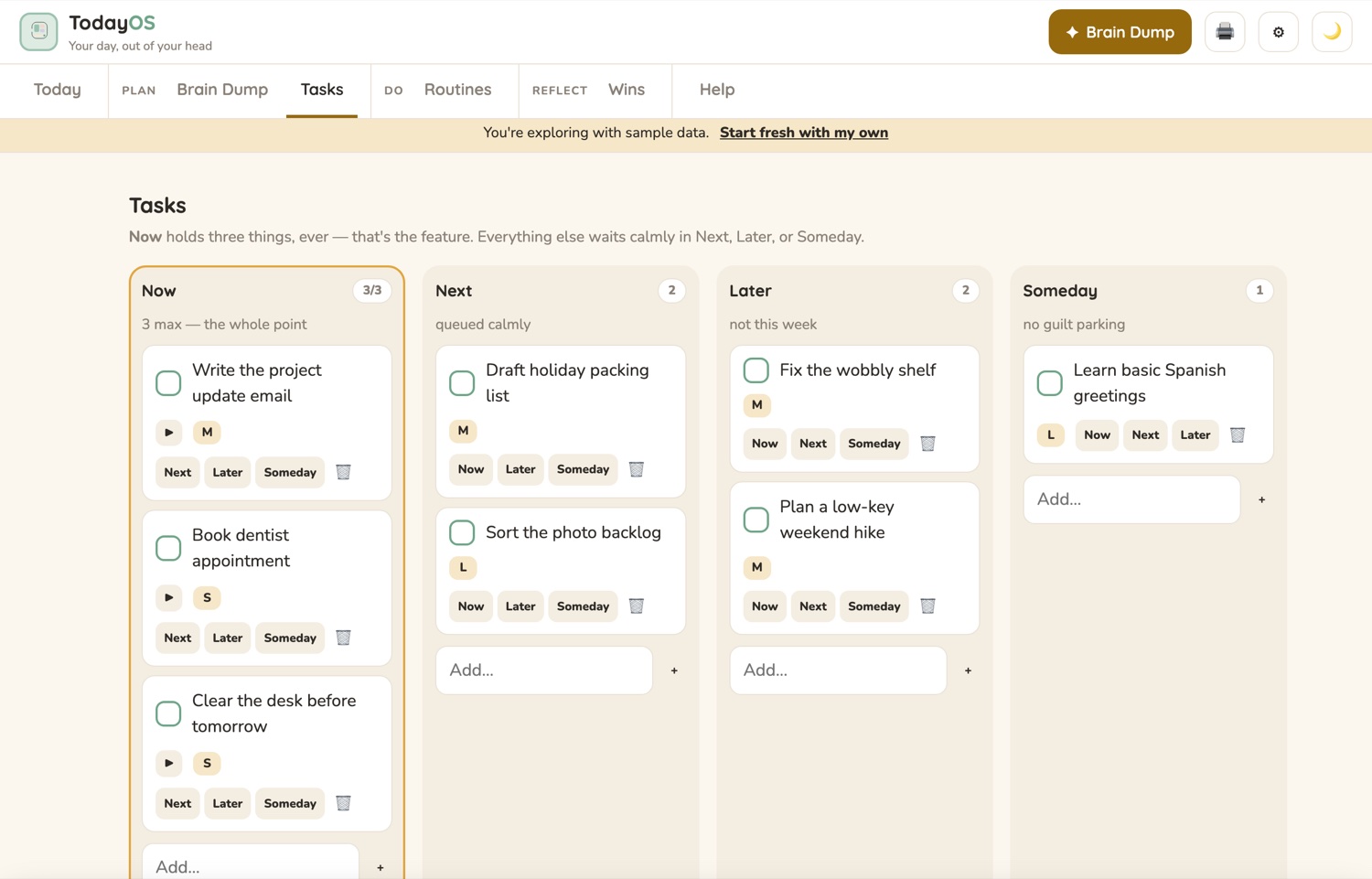
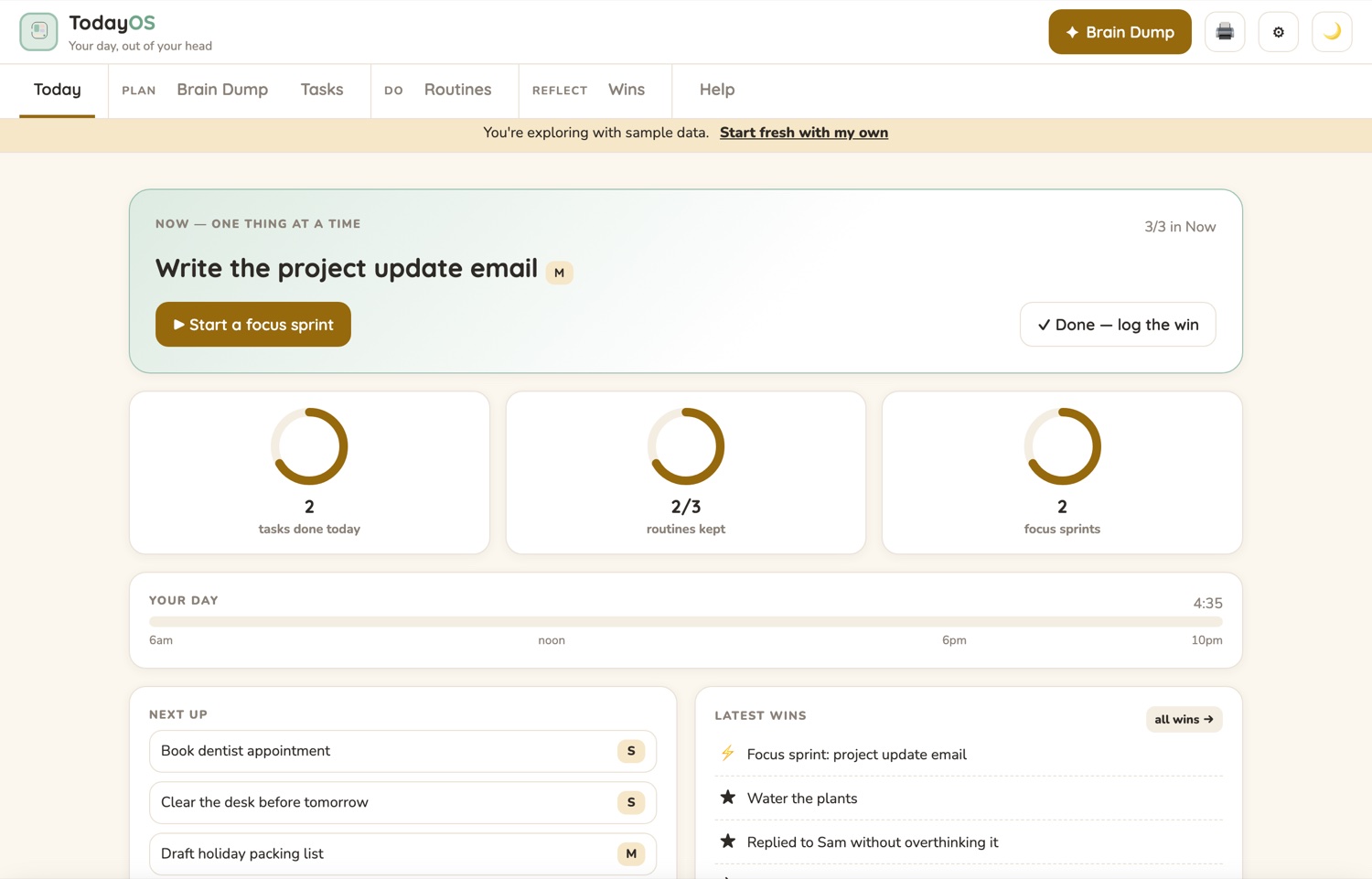
Now holds three tasks at a time and politely refuses a fourth. The Today screen puts the one that is Now on top, with a button to start a focus sprint.
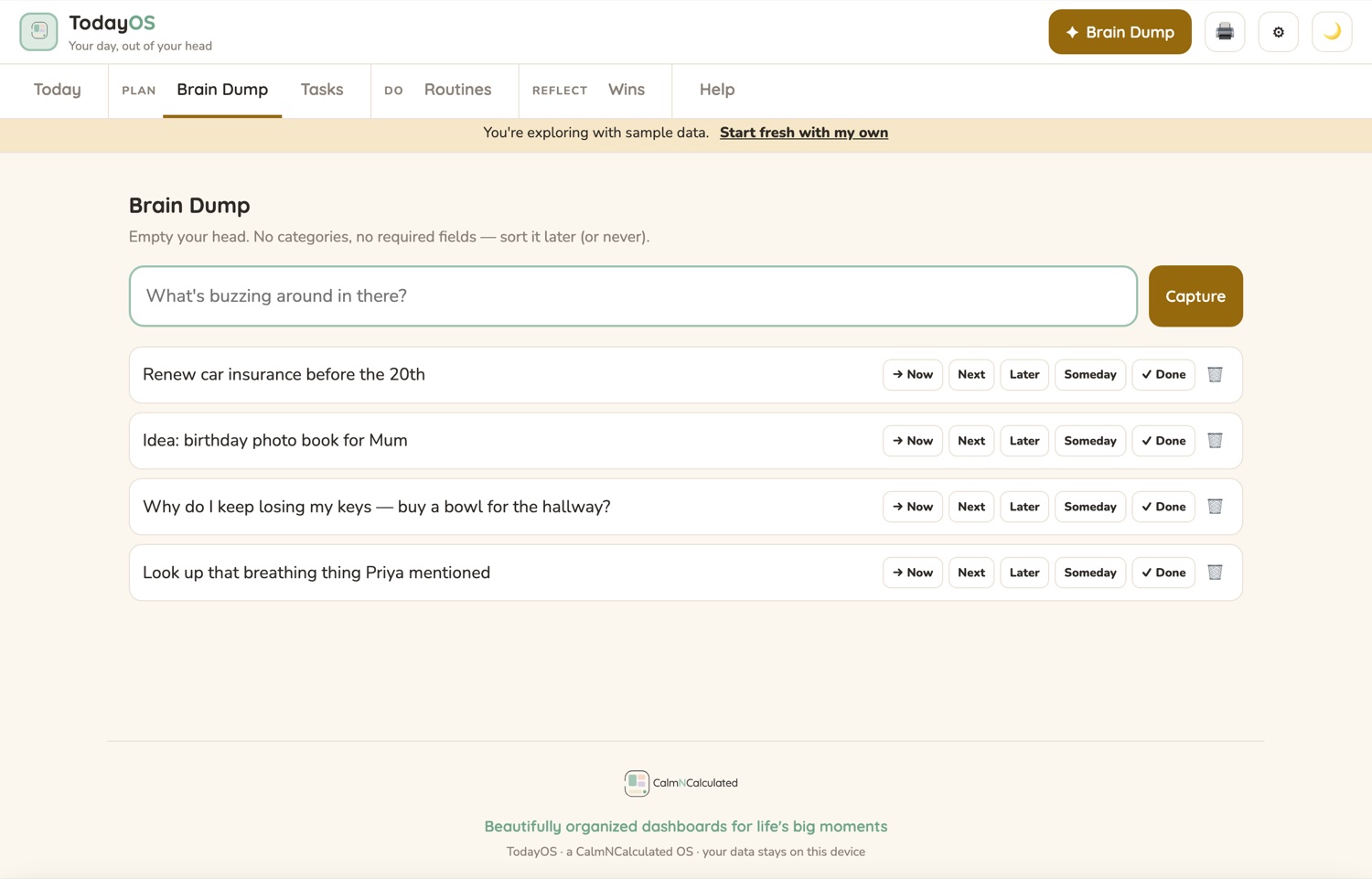
Press B anywhere, type a thought, press Enter — the box stays open until your head is quiet. Later, give each line one tap: Now, Next, Later, Someday, Done, or the bin.
Now, Next, Later and Someday, with S, M and L sizes. Someday is labelled "no guilt parking", and there is an Undo if you mis-tap.
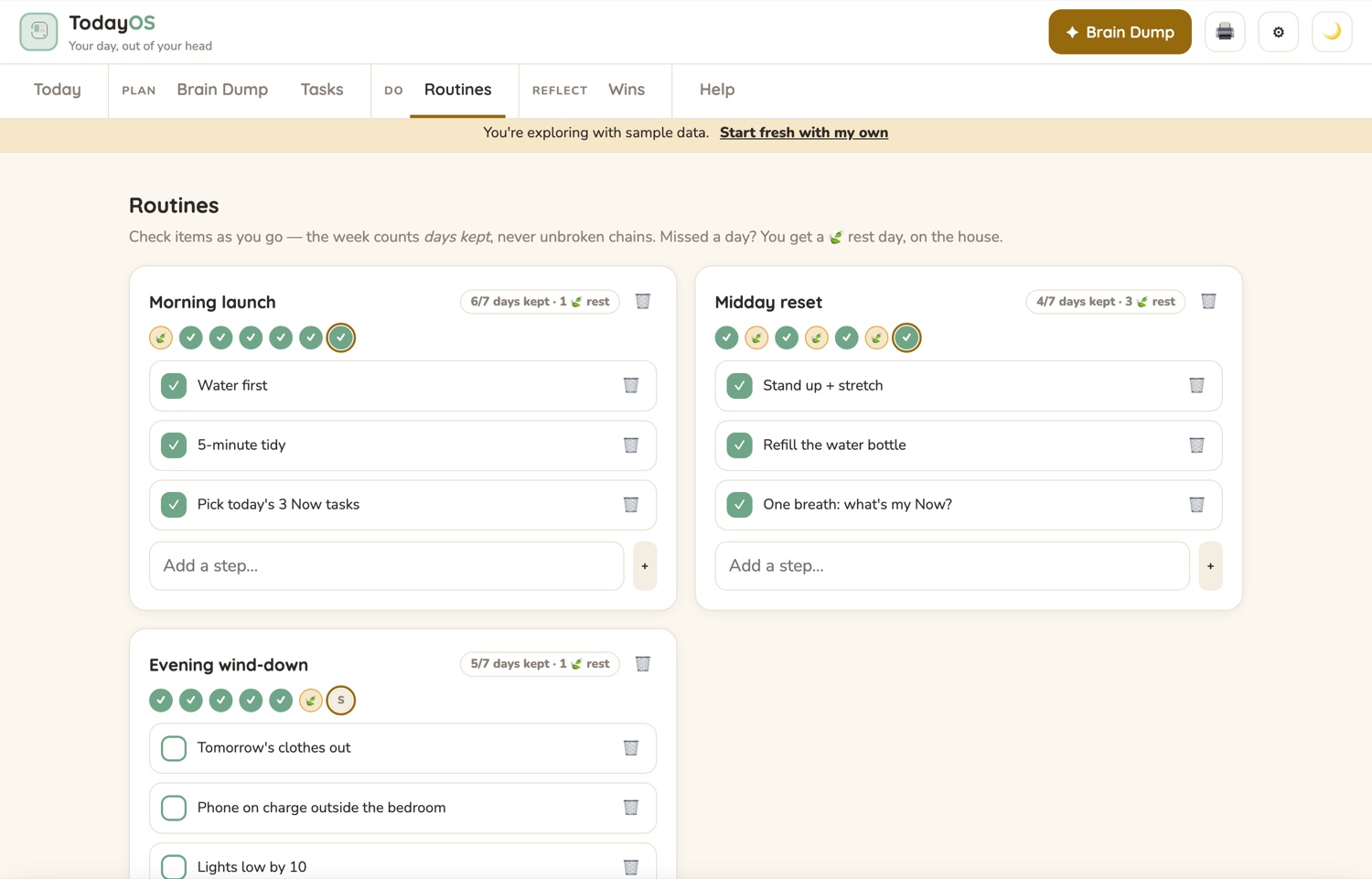
Three to start with — Morning launch, Midday reset and Evening wind-down. The week counts the days you kept out of the days that have happened, and a missed day becomes a rest day, marked with a leaf.
Everything below is in the app you just tried.
Brain Dump
TasksOne download holds all three, sharing one method and one set of words — Brain Dump, Now / Next / Later / Someday, days kept, a rest day, a focus sprint, a win. Use whichever one is in front of you.
One HTML file that opens in your normal web browser. Empty your head into Brain Dump with one key, pick the three things that go in Now, and start one of them as a focus sprint — the screen clears to that one task and a countdown. Nothing you type into it is uploaded.
An ordinary .xlsx with eight tabs: Start here, Week, Tasks, Routines, Routine days, Wins, Focus sprints and Setup. It arrives empty — type three dates on the Setup tab and the rest fills itself in. It counts whole weeks, Monday to Sunday, and keeps a wins log by month.
36 pages: the same 18 pages sized for A4 and for US Letter, so you print only the half that matches your paper. The day, the dump, the four columns, the routines, the sprints and the wins on paper, plus a weekly look back and a notes page.
Two more files come with them. The Calm Start Method is a free 52-page book — twelve short chapters in four parts, on getting started, holding your attention for a while, and carrying on after the day you missed. It is a book of methods to try, not medical advice. A four-page Quick Start gets all three editions moving, down to your data and how to back it up. Five files in total, one download, one payment.
The daily planner runs sessions on a focus timer and keeps the record of what got done. Set the session length and see the week build.
Three 25-minute sessions a day is about 6 focused hours a week.
The focus timer runs the sessions; the wins screen keeps the evidence that they happened.
The app is one HTML file that runs in your browser. That single fact is what makes all four of these true.
That last one is the proof of the others. An app that keeps working with the internet switched off is an app that isn't sending anything anywhere.
If the app above felt right, the app in the download is exactly that, minus the sample day — and the workbook, the printable pack, the book and the Quick Start come with it.
For the upkeep and admin of running a home — also in three editions.
Try the Home Management PlannerEvery one is bought once, opens in your browser, and keeps your data on your own device. All of them are free to try — no sign-up.